




INSIDE THIS ISSUE
Coronavirus Infographic Template in Business/ Community Analyst Web
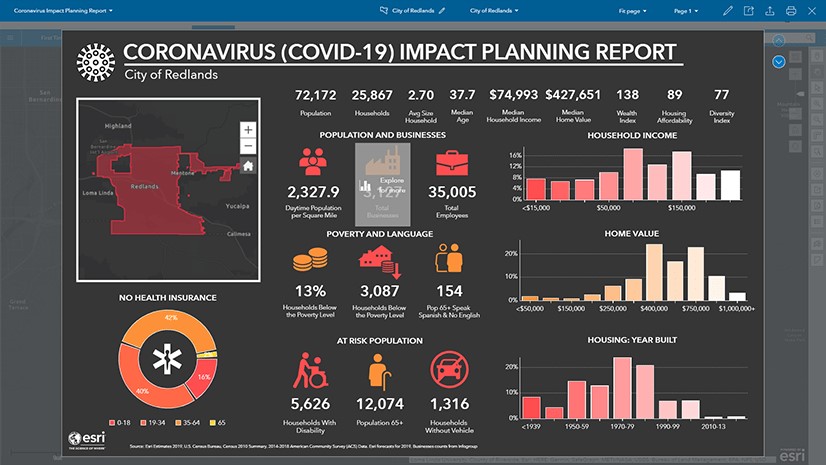
Business Analyst (BA) Web infographics are a powerful way to understand demographics and other information in context. In this blog I am going to explain how to import the Coronavirus infographic into your organization.
What are Business Analyst Infographics?
First a little bit of background. BA infographics are authored in BA Web and can be accessed in ArcGIS Pro, Business/Community Analyst on the Web or in the BA Mobile app. In addition to being a great interactive and immersive dashboard, BA infographic templates can be shared across an organization, in an ArcGIS Online group or via a portable document type known as a BRPT file.
You can customize the look and feel of infographics to match your organization brand, export them as an image, interactive HTML or pdf and copy individual elements from different templates to customize an infographic to have exactly the information you want, displayed in the way you feel is most easily understood by your audience.
What's new in ArcGIS Pro 2.5
The latest release of Esri’s powerful, feature-packed desktop software is here and it delivers a lot of what you’ve asked for. With every release of ArcGIS Pro, there are many useful, interesting and often fun new features to help you get your work done. ArcGIS Pro also provides new ways to improve mapping and spatial analysis efficiency and productivity with faster, easier methods. ArcGIS Pro 2.5 continues its mission of bringing you the new tools, workflows and capabilities requested by the community and optimized for the modern GIS professional. We’ve created a video of the new features in ArcGIS Pro 2.5.
Here are a few of the new items you can expect to find in ArcGIS Pro 2.5:
Mapping and Visualization
- Color management settings to ensure colors are rendered consistently across devices.
- Exportability to the Adobe Illustrator Exchange (.AIX) file format to bring maps into Adobe Illustrator for graphic design and map finishing.
- New map projections.
- Overprint capability for symbol layers to avoid registration errors in printing.
Analysis
- Python notebooks integrated into ArcGIS Pro for data science workflows.
- Ability to schedule analytical tools to run later or with recurrence.
- Improvements in performance especially when working in large projects.
- New workflows for business analytics tasks, such as site evaluation and target marketing.
Data management
- Meta data automation.
- Manage distributed data using geodatabase replication workflows to create and manage replicas and sync changes using traditional versioning.
- Updates for authoring indoor maps for use with ArcGIS Indoors.
- Ability to turn Building Information Management (BIM) file workspaces into a geodatabase feature dataset.
Map production
- New tools and enhancements for aviation and maritime mapping and charting, defense mapping, pipeline referencing, and production mapping.
Quick note: For ArcMap users, ArcGIS Pro 2.5 has delivered over 60 user requested enhancements, many of them being ArcMap equivalency requests. Visit the ArcGIS Ideas site to view the status of a request or to submit a new idea! If you are new to ArcGIS Pro, we invite you to download a free trial today.
What's new in ArcGIS Enterprise 10.8
As 2020 continues full steam ahead, we are here to introduce a new release of ArcGIS Enterprise!
10.8 is now available with updates and enhancements throughout the product, from administration to data, maps, and apps.
Highlights of the ArcGIS Enterprise 10.8 release include new administrative settings in the Enterprise portal, new options for publishing and data, new apps, updates to ArcGIS Enterprise Sites, and additional enhancements throughout the product. Updates include:
- A read-only setting for ArcGIS Enterprise to prevent downtime and data loss.
- An informational banner for the header and footer of your Enterprise portal as well as an access notice when users visit your environment.
- New Vector Tile Style editor for customizing the look of your vector tiles.
- Faster rendering and reduced publishing time for hosted feature layers.
- New webhooks trigger events around user types and roles.
- Many group enhancements, including administrative groups.
- Updated resources for Architecting Your Deployment, as well as an updated Functionality Matrix.
- Utility Network and Parcel Fabric user type extensions now available.
Don’t forget ArcGIS Enterprise 10.8 is a short-term support release. ArcGIS Enterprise 10.8.1, planned for release later in 2020, will be a long-term support release for customers looking for several years of support and updates.
What's new in ArcGIS Online
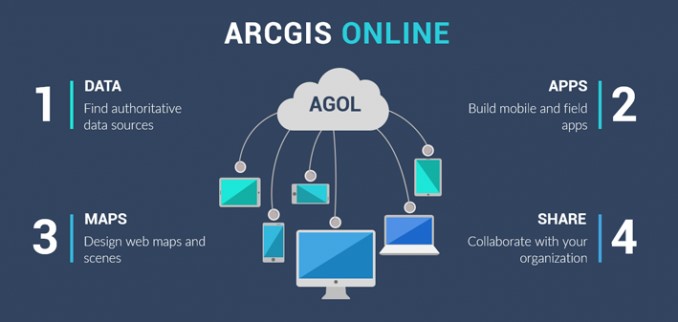
ArcGIS Online was updated recently. Key improvements include:
- Improved Sharing Interfaces: When sharing content, you will notice an updated interface that guides you through the process. First, you select a sharing level (Owner, Organization, Everyone) and then, in a separate window, you can filter and select groups to share your content with.
- Updated Organization Settings Page: The organization settings experience has been improved with a new design, the ability to search for the setting you want, and discovery of individual settings. Administrators can more easily navigate the organization settings tab by searching for a setting, or using the side navigation links. In addition, changes are now saved automatically.
- New Organizational Notices: There is a new way for administrators to notify everyone in their organization! Two announcement options—information banners and access notices—are available.
- Map Viewer (beta): All ArcGIS Online organizations can now access the beta version of Map Viewer through the app launcher and when opening items. It provides an enhanced experience for key map authoring workflows and inspires experimentation and creativity.
What's New in Field Operations for ArcGIS Enterprise 10.8
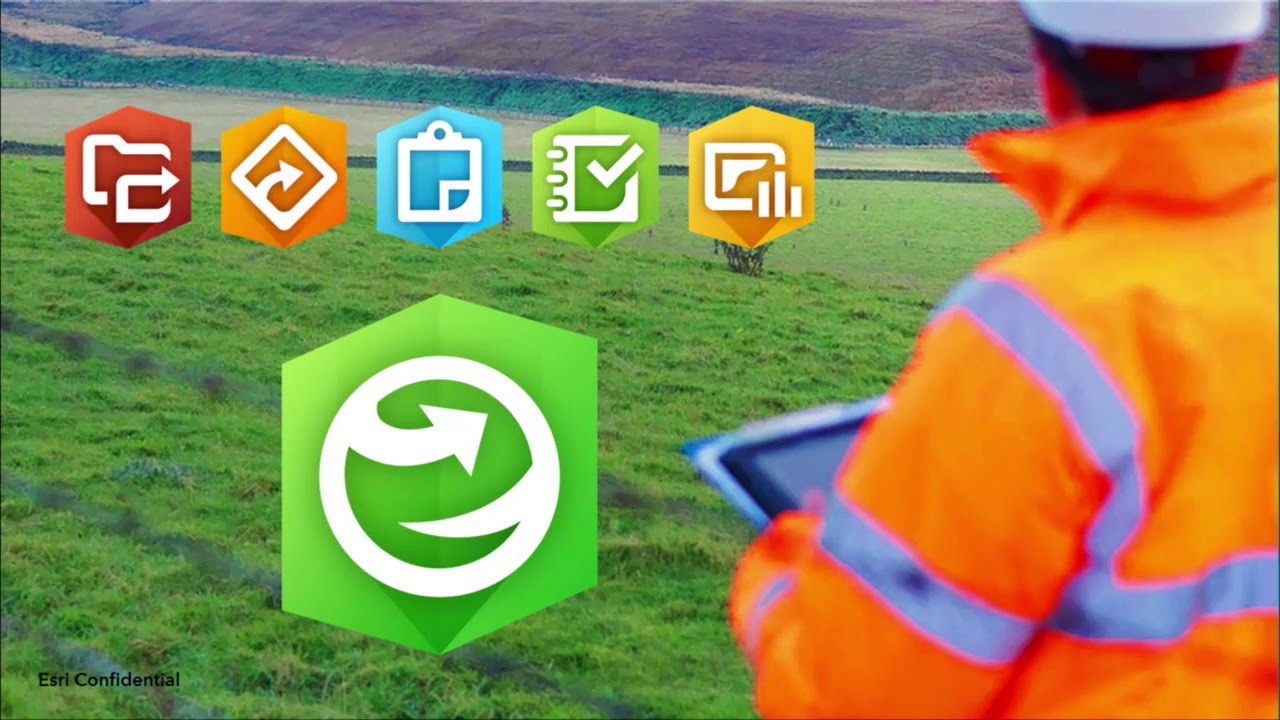
ArcGIS Enterprise 10.8 is here and it delivers exciting new enhancements throughout the product, from administration to data, maps, and apps.
If Field Apps are not yet part of your System of Engagement (SoE), there has never been a better time to take ArcGIS to the field. For an overview of Field Operations, please visit our Field Operations site. This article will highlight key enhancements in ArcGIS Enterprise 10.8 that are important when deploying field apps within your organization.
Q1 2020 ArcGIS Release
Here’s what’s new in the latest ArcGIS release—in mapping, visualization, analytics, and more.
Jump to a product (in alphabetical order):
ArcGIS Apps | ArcGIS Data Reviewer | ArcGIS Earth | ArcGIS Enterprise | ArcGIS Excalibur | ArcGIS Experience Builder | ArcGIS for Inspire | ArcGIS for Maritime | ArcGIS GeoAnalytics Server | ArcGIS GeoEvent Server | ArcGIS Hub | ArcGIS Image Analyst | ArcGIS Image Server | ArcGIS Insights | ArcGIS Living Atlas of the World | ArcGIS Notebook Server | ArcGIS Online | ArcGIS Pro | ArcGIS QuickCapture | ArcGIS StoryMaps | Collector for ArcGIS | Drone2Map for ArcGIS | Esri Production Mapping/Esri Defense Mapping | Esri Redistricting | Explorer for ArcGIS | Navigator for ArcGIS | Tracker for ArcGIS | Workforce for ArcGIS
Micro Training Center

Micro Training Center successfully conducted the training for the following ArcGIS courses for Eng. Noor Ebrahim Abdulla from Supreme Council for Environment.
- ArcGIS 1 – Introduction to ArcGIS
This course introduces GIS concepts and ArcGIS tools used to visualize real-world features, discover patterns, and communicate information. Using ArcMap and ArcGIS Online, you will work with GIS maps, explore data, and analyze maps and data as you learn fundamental concepts that underlie GIS technology. - ArcGIS 2: Essential Workflows
In this course, you will acquire the skills to perform the most common ArcGIS workflows. Primarily using ArcMap, you will explore, manage, and analyze geographic data and create informative maps. Learn techniques to effectively share your ArcGIS work with decision makers, colleagues, and the public. - ArcGIS 3: Performing Analysis
Learn a standard workflow you can apply to any spatial analysis project. You will perform different types of analyses to efficiently create reliable results that support informed decision making. This course uses ArcGIS for Desktop Advanced (ArcMap) and some exercises use tools in the ArcGIS Spatial Analyst extension. - Building Geodatabases
Master the essential concepts and skills needed to efficiently create a geodatabase, add data to it, and realistically model the real-world spatial relationships inherent to your data. You will learn about unique geodatabase features that help ensure data integrity over time and why the geodatabase is the preferred format for storing and managing geographic data in ArcGIS. Course concepts apply to file-based and multiuser ArcSDE geodatabases. - Designing Maps with ArcGIS
Learn how to apply fundamental cartographic design principles to create maps that are easy to interpret and properly designed for their audience and delivery medium. You will explore a standard cartographic workflow to efficiently produce high-quality maps for print and online use. Course exercises primarily use ArcMap. - Introduction to ArcGIS Pro for GIS Professionals
Learn essential ArcGIS Pro terminology and get prepared to efficiently complete many different tasks related to mapping, editing, geoprocessing, and analysis. ArcGIS Pro, the newest application included with ArcGIS 10.3 for Desktop, is designed to help GIS professionals complete their projects and share their results more quickly and easily than ever before. With its modern ribbon interface and tight integration of 2D and 3D capabilities, ArcGIS Pro will streamline the way you do your GIS work. - Creating Maps and Visualizations with ArcGIS
Learn fundamental cartographic design principles and a standard workflow to produce print and online maps tailored to their purpose, medium, and intended audience. This course teaches ArcGIS Pro techniques to create and share a variety of professional-quality information products including print maps, web maps, 3D scenes, animations, and charts.
MicroCenter Special Projects
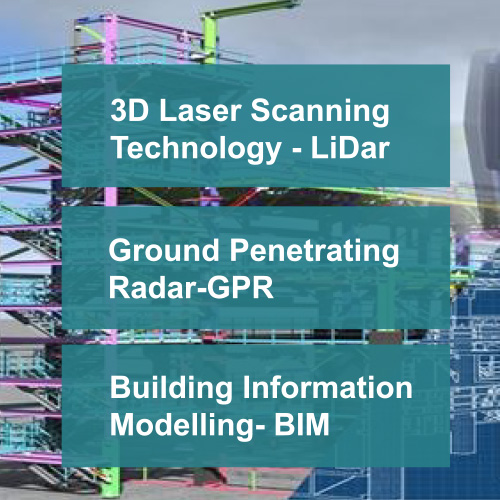
MicroCenter Group is a leading IT technology expert, successfully operating over 30 years in Kingdom of Bahrain. It specializes in Geospatial-GIS consulting & software Solutions, Utility survey & Geo data, ICT business Solutions, Software integration, ERP & Smart card Solutions and Geospatial & ICT training.
MicroCenter News

MCA Employee Self Service(MCA ESS)
MCA Employee Self Service (ESS) is indigenously developed web-based application which maintains employee information in a greener, paperless environment. MCA Employee Self Service, the newest module in the MCA HR & Payroll system, is integrated with the HR and Payroll modules so that all changes take place in real-time.
The main objective of developing Employee Self Service was to free up time for HR and Payroll professionals and to empower employees and supervisors with managing that information. It is considered as must have feature in any advanced Human Capital Management software.

MicroCenter IoT Solutions(MC-IOT)
The Internet of Things, or IoT, refers to the billions of physical devices around the world that are now connected to the internet, collecting and sharing data for better visibility and operational efficiency.
MC IOT enable businesses to optimize their existing systems and drive innovation. MC IOT can assist in transforming your business by optimizing the energy costs, creating new customer experiences or even developing a new line of smart product.
About MocroCenter

MicroCenter Group is a pioneer in providing information technology solutions in the Kingdom of Bahrain since 1983.Currently, it is the official distributor in Kingdom of Bahrain for Esri, USA, which is the global market leader in Geographic Information System (GIS) software, offers most powerful mapping and spatial technology available. In addition, MicroCenter is also providing Utility network GIS surveys, LiDar Technology / BIM modelling, ERP Solutions, Plastic card & Digital media solutions & specialized training.